
Company
Iconscout
My Role
Lead Visual Design
Responsabilities
UI/UX Design Icon Design Research Testing Prototype Wireframe
Overview
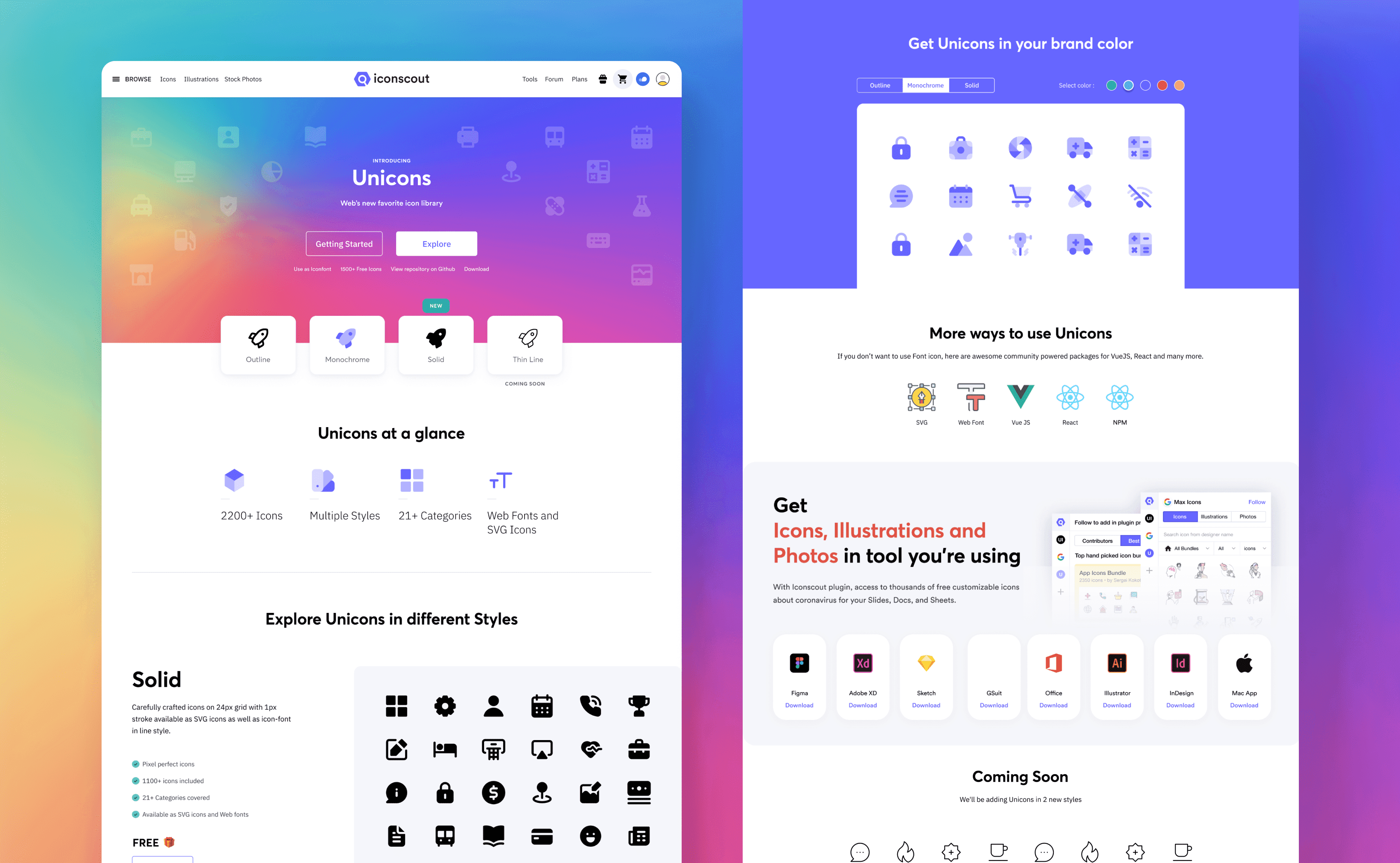
As a Visual and UI/UX Designer, I led the creation of Unicons, a versatile and modern icon library designed to meet the needs of developers, designers, and digital creators. This project involved not only designing a comprehensive set of icons but also developing an intuitive user interface and seamless user experience for accessing, customizing, and utilizing the icons. The goal was to create a visually cohesive, user-friendly product that would stand out in a competitive market.
Initial Challenges
The Unicons project posed several unique challenges:
Icon Consistency: Designing a library with a unified visual language across hundreds of icons.
Scalability: Ensuring the icons were adaptable to various contexts, including web, mobile, and print.
User Accessibility: Building an interface that was both functional and easy to navigate for users with different levels of expertise.
Customization: Providing robust customization options without overwhelming the user.
Competitive Edge: Differentiating Unicons from other icon libraries in terms of aesthetics and functionality.
Research & Brand Immersion
A comprehensive research phase laid the groundwork for the project:
Market Analysis: Analyzed existing icon libraries to identify gaps in usability, design, and features.
User Research: Conducted surveys and interviews with potential users, including designers, developers, and product managers, to understand their requirements and pain points.
Brand Guidelines: Defined a clear visual style for the icons, aligning them with the overarching brand identity and ensuring compatibility with contemporary design trends.
Technical Feasibility: Collaborated with developers to understand technical constraints and possibilities, especially for the customization features.
Execution & Strategy
The design process was divided into two key components: Icon Design and UI/UX Design.
Icon Design:
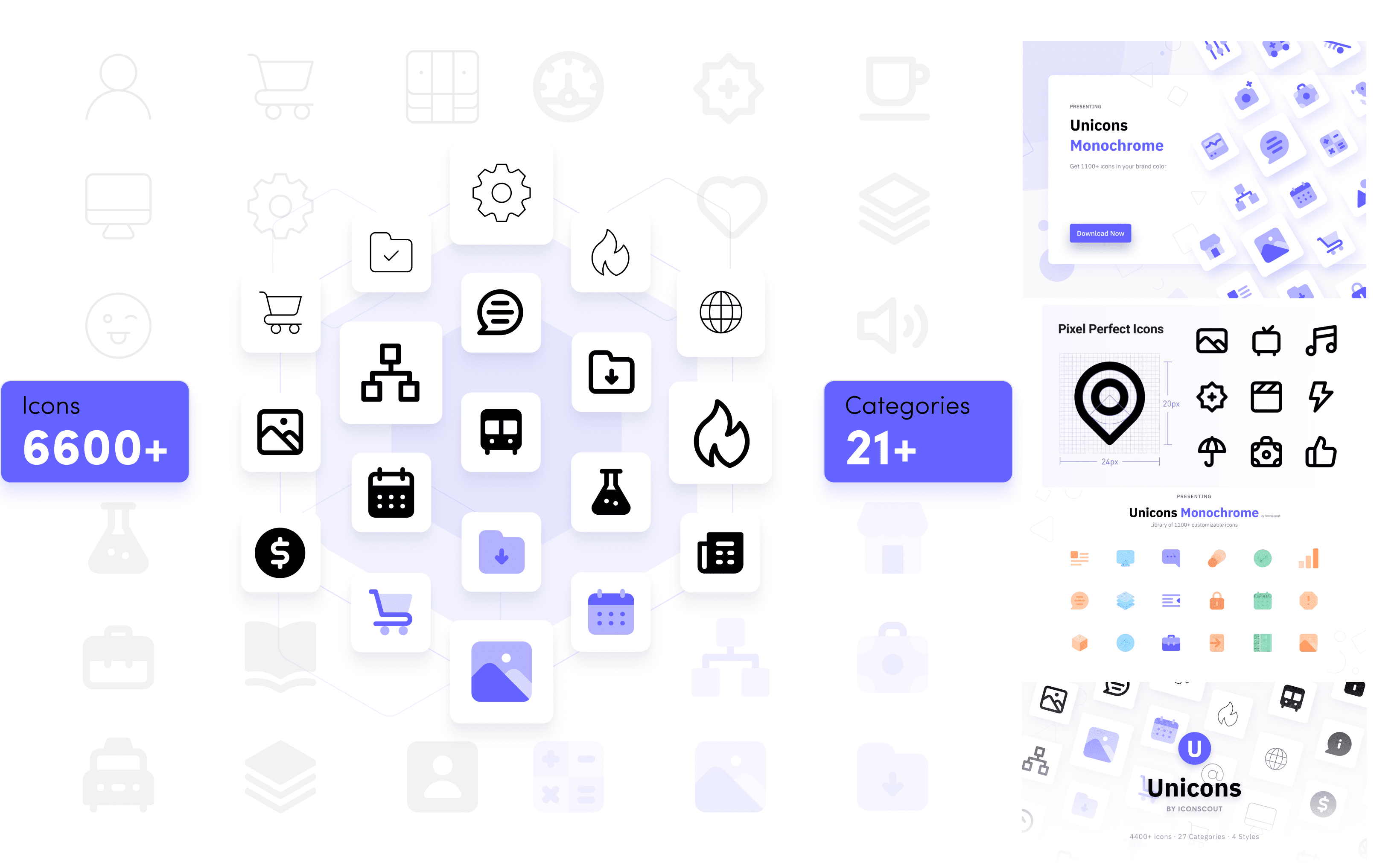
Visual Style: Established a consistent grid system, stroke weight, and corner radius for all icons.
Icon Categories: Organized the library into clear categories, such as communication, navigation, and e-commerce, to facilitate easy discovery.
Iterative Design: Tested initial designs with focus groups and iterated based on feedback to ensure clarity and aesthetic appeal.
UI/UX Design:
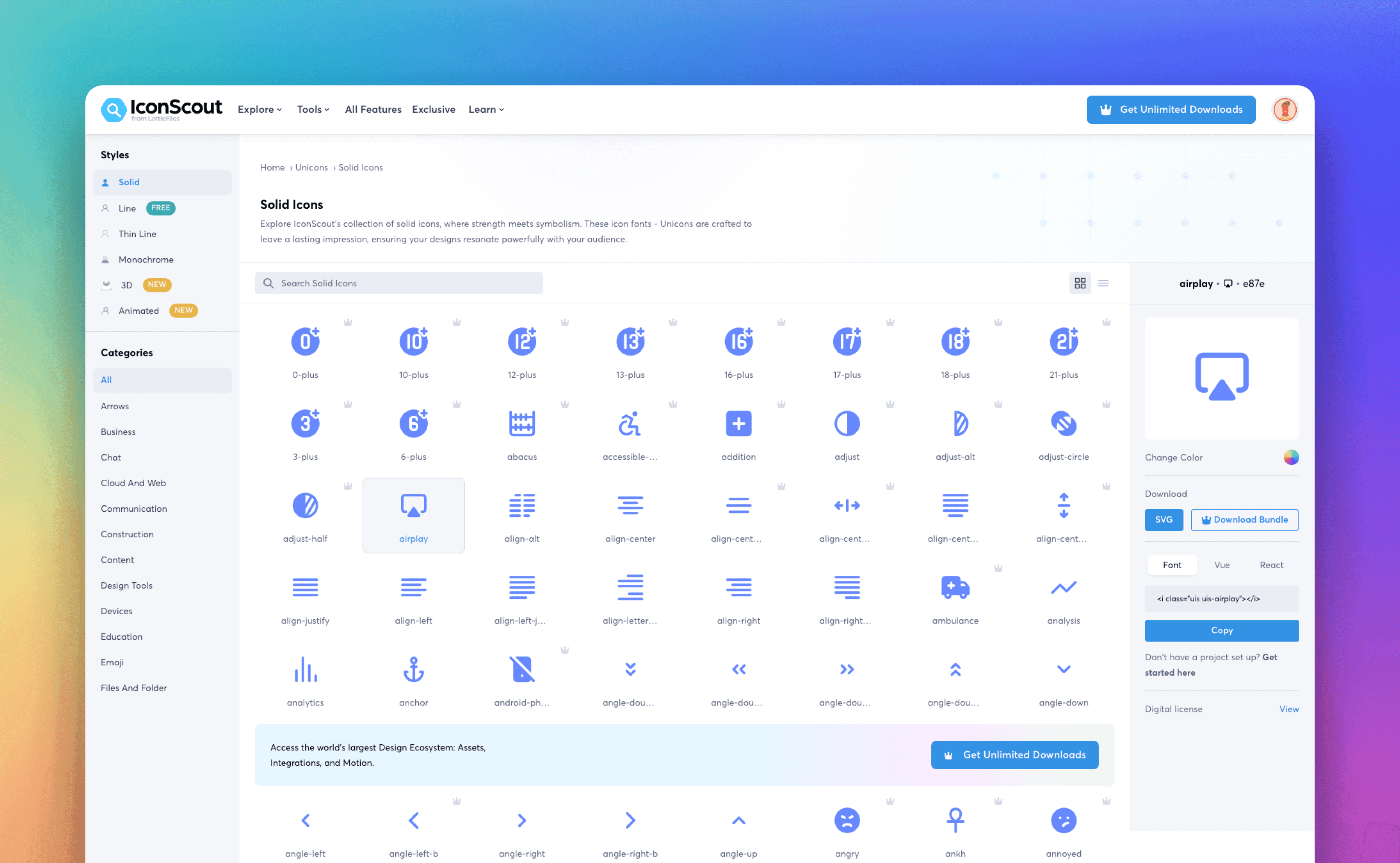
Information Architecture: Designed a logical structure for the library interface, allowing users to browse, search, and filter icons efficiently.
Customization Tools: Integrated features such as color adjustments, stroke width modifications, and download format options directly into the UI.
Responsive Design: Ensured a seamless experience across devices, from desktop to mobile.
Microinteractions: Added subtle animations and tooltips to enhance usability and delight users.
Prototyping: Created high-fidelity prototypes to test workflows and usability before development.
The Impact
The Unicons project posed several unique challenges:
Icon Consistency: Designing a library with a unified visual language across hundreds of icons.
Scalability: Ensuring the icons were adaptable to various contexts, including web, mobile, and print.
User Accessibility: Building an interface that was both functional and easy to navigate for users with different levels of expertise.
Customization: Providing robust customization options without overwhelming the user.
Competitive Edge: Differentiating Unicons from other icon libraries in terms of aesthetics and functionality.